
Best Apps for College Students in 2026: The Essential List
April 12, 2026 · 5 min read
College in 2026 runs on apps. Between lectures, problem sets, group projects, and exams, the right tools can save you hours every week. Here are the ones that actually matter, organized by what you need them for.
Homework and Problem Solving
Scrawl AI (Best for Handwritten Homework)
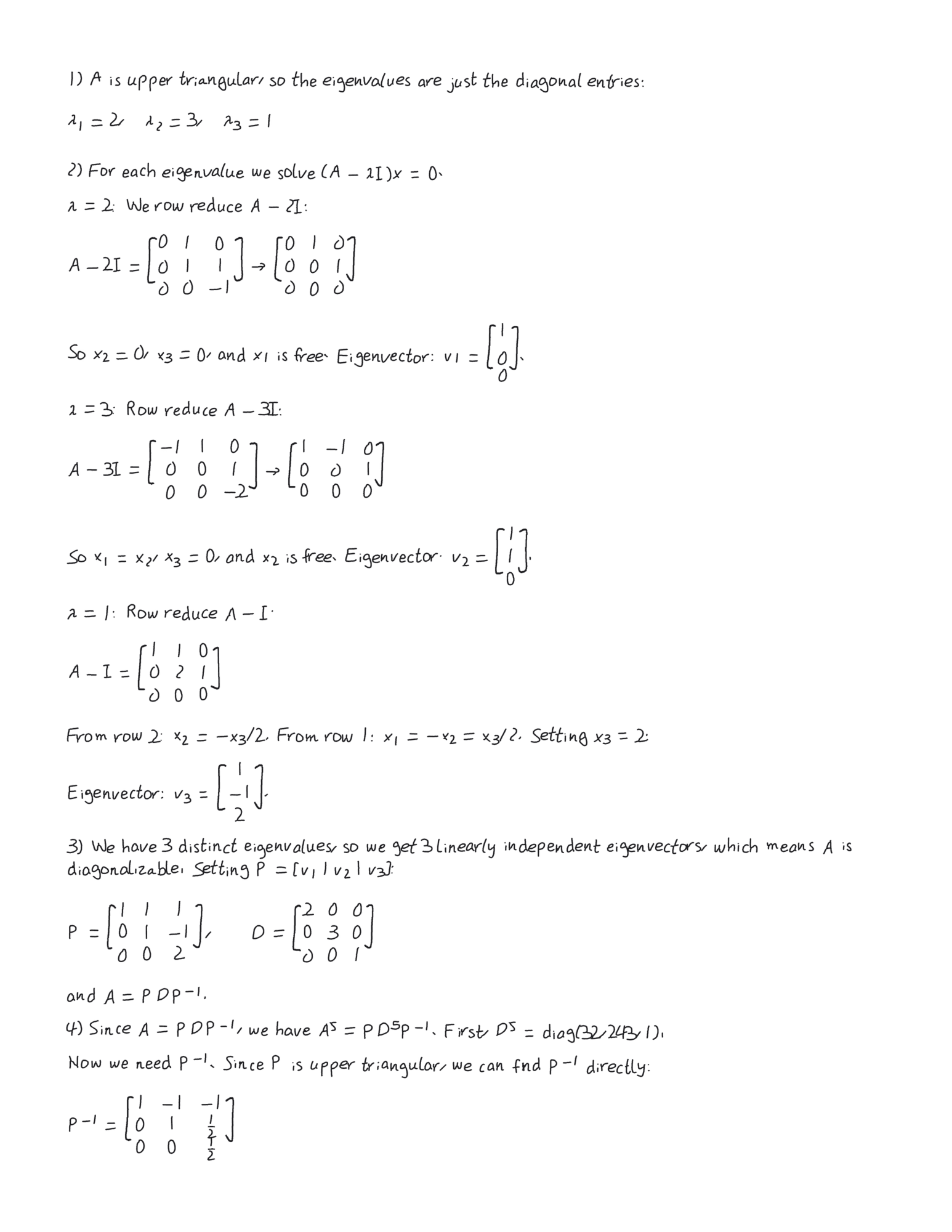
Upload a photo of your assignment and get back a handwritten PDF with step-by-step solutions. Scrawl AI supports circuits, calculus, chemistry, physics, and more. It is the only app that solves problems and renders the output in realistic handwriting, complete with diagrams and proper math notation. You can even train it on your own handwriting so the output looks like you wrote it.
Pro Annual at $69.99/year (3-day free trial) or Pro Weekly at $6.99/week. Single clean solves available for $2.99. Available on the App Store for iOS and at scrawlai.app.
ChatGPT (Best for General Q&A)
The Swiss Army knife of AI. Good for essay brainstorming, quick explanations, and code debugging. The free tier is generous and the answer quality keeps improving. The main limitation: outputs are plain text. For handwritten assignments, you still need to copy everything onto paper manually, which can take longer than the solving itself.
Wolfram Alpha (Best for Math Verification)
The gold standard for checking calculus, algebra, and differential equations. Shows step-by-step solutions on the paid plan. Not great for anything beyond math, but for math specifically, nothing is more reliable.
Note-Taking and Organization
Notion (Best for Course Organization)
Pages, databases, calendars, and kanban boards in one app. Most students use it to organize syllabi, track assignments, and build study wikis. Free for personal use. The learning curve is real, but once you set up your system it pays off all semester.
Goodnotes / Notability (Best for Handwritten Notes on iPad)
If you have an iPad and Apple Pencil, these are non-negotiable for lecture notes. Goodnotes has better organization and folder structure. Notability has better audio recording synced to your notes. Both handle PDF annotation well. Pick whichever interface clicks for you.
Studying and Review
Anki (Best for Memorization)
Spaced repetition flashcards. The learning curve is steep, but nothing beats it for memorizing vocabulary, anatomy, historical dates, or anything else that requires pure recall. Free on desktop and Android, paid on iOS. Medical students swear by it for a reason.
Quizlet (Best for Quick Flashcard Creation)
Easier to use than Anki but less powerful long-term. Good for collaborative study sets where the whole class contributes. AI-generated practice tests are a nice addition for exam prep.
Productivity
Google Calendar (Best for Scheduling)
Obvious but underused by students. Block out study time, set assignment reminders, sync with your LMS. The AI scheduling features added in 2025 actually work well for finding open slots between classes. The key is treating it as your single source of truth for deadlines, not just social plans.
Forest (Best for Focus)
Grows a virtual tree while you study. Kills the tree if you leave the app. Surprisingly effective motivation for anyone who can't stop checking their phone during study sessions. Simple concept, but it works.
The Bottom Line
Most students need three or four of these: a solver (Scrawl AI or ChatGPT), a note-taker (Notion or Goodnotes), a study tool (Anki or Quizlet), and a calendar. Don't install 20 apps. Pick what works for your workflow and stick with it.
Scrawl AI is free to try at scrawlai.app or download for iOS. See all features.