From Photo to Handwritten Solution in 60 Seconds
April 5, 2026 · 3 min read
Scrawl AI turns a photo of your homework into a handwritten PDF with step-by-step solutions in under 60 seconds. Here's exactly how it works, step by step.
Step 1: Upload Your Assignment
On the web app, drag and drop a photo or PDF into the upload area. On iOS, tap the quill button, then take a photo with your camera or choose one from your photo library. Scrawl reads the problems from the image automatically. No typing required.
Free users can upload up to 10 pages per submission. Pro plans support up to 20 pages.
Step 2: Choose Your Settings
Before solving, you configure how the output should look. Every setting is optional except the document name:
- Document name: what to call the output file
- Handwriting style: Neat, Balanced, Messy, or your own custom handwriting
- Background: blank, lined, or graph paper
- Layout: compact, standard, or detailed (controls spacing density)
- Text size: adjustable to match your natural writing
- Header info: optional name, class, date, and professor printed at the top of each page
Step 3: Solve
Hit solve and watch the progress bar. Scrawl shows three stages as your assignment is processed:
- Solving: the AI reads your problems and generates step-by-step solutions
- Compiling: solutions are formatted with math notation and diagrams
- Rendering: the handwriting engine applies your chosen style with natural variation
Most assignments finish in 15 to 60 seconds. Multi-page documents with complex diagrams may take slightly longer.
Step 4: Download
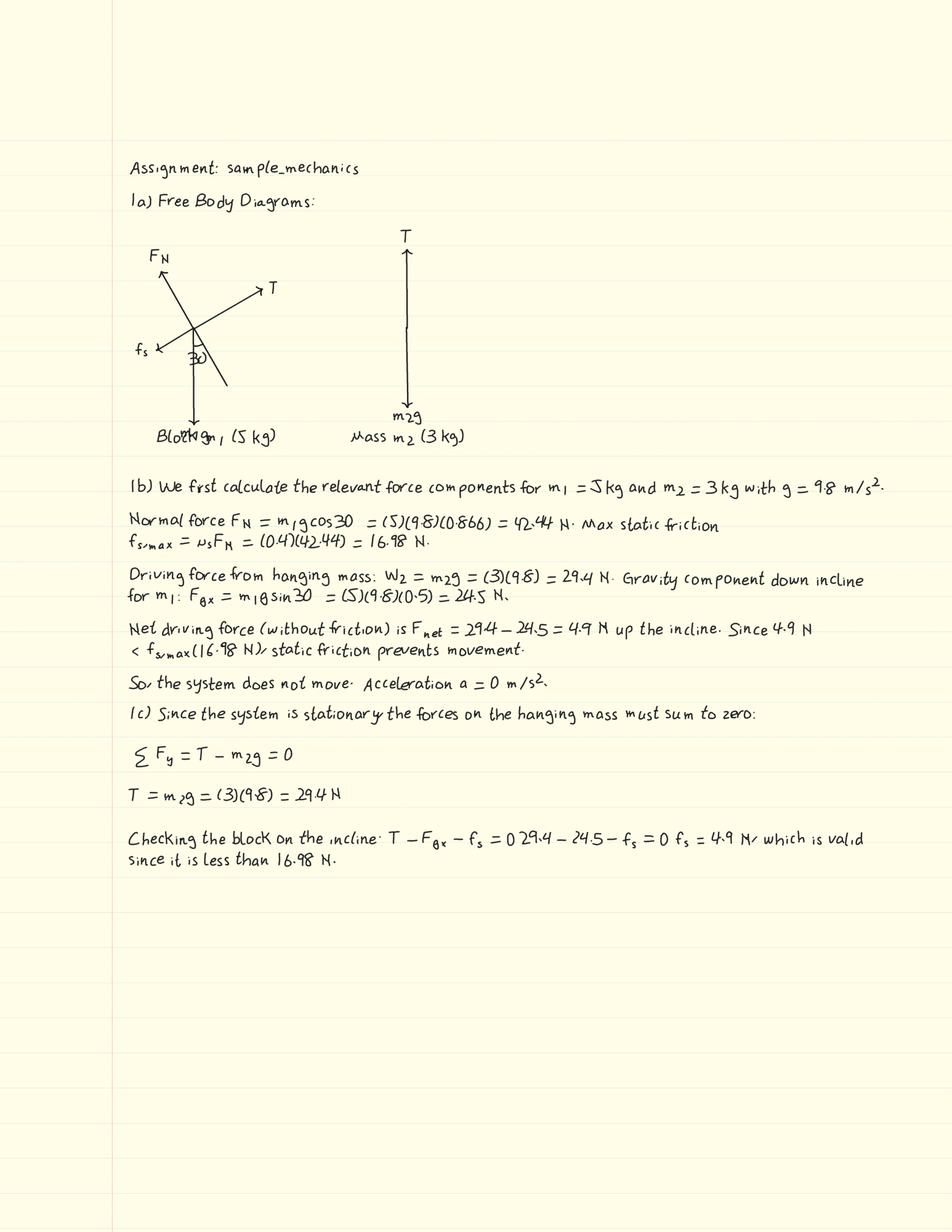
You get a PDF. Every page looks handwritten: text, math, diagrams, all of it. Download the file and submit it to Canvas or Gradescope, email it to your professor, or print it out.
That's It
No pen plotters. No font creators. No copying answers from ChatGPT onto paper. One app, one step, one PDF.
Try it free at scrawlai.app or download for iOS. Try every feature free for 3 days — no charge today. See all features or view pricing.